

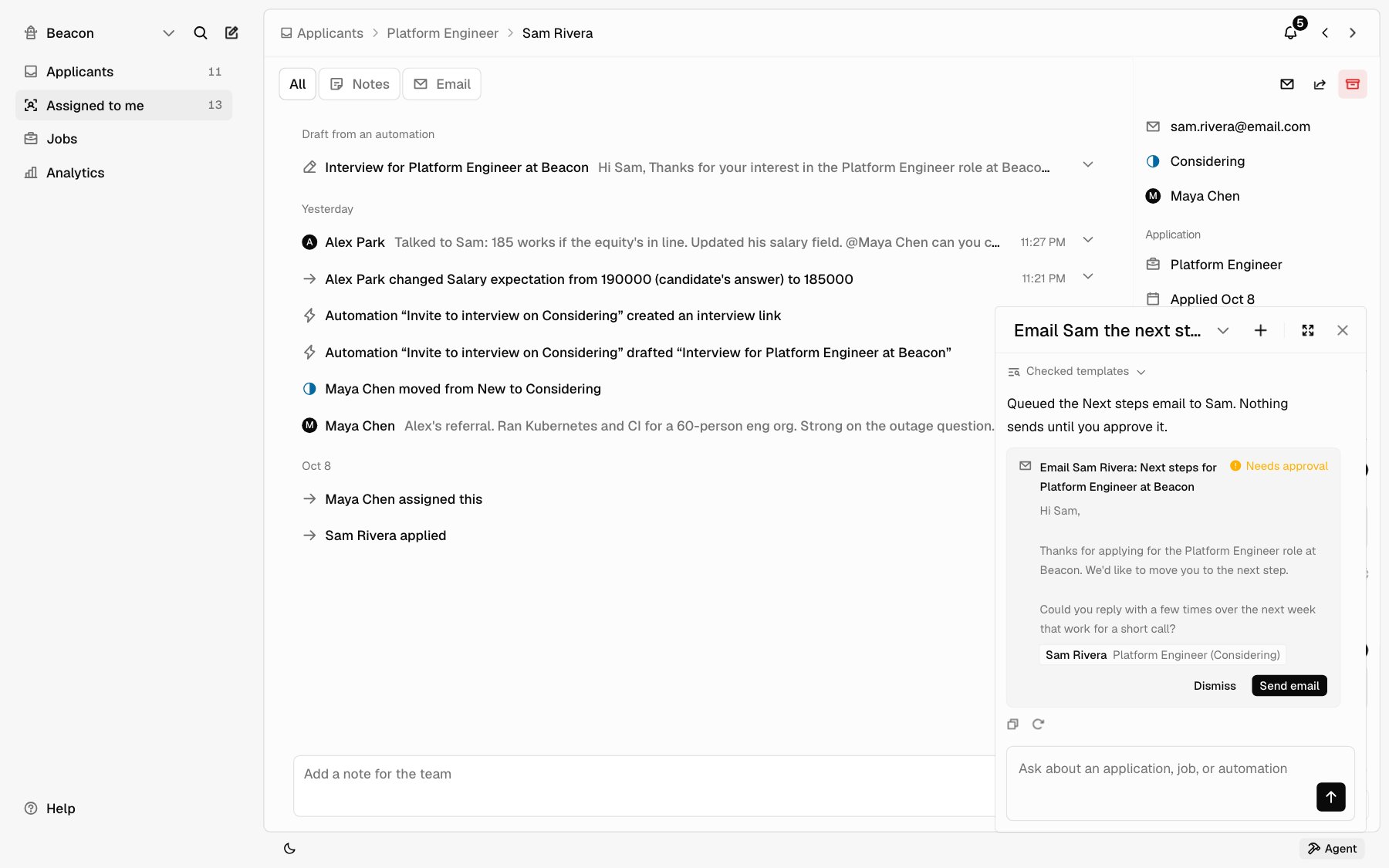
Open Agent
1
Open it
Click Agent at the bottom right of the app. On a phone, it opens full
screen. Some pages have an Ask Agent button too, like Automations
when you have none yet.
2
Ask
Type in the box and press Enter, or pick one of the suggestions
under the box. Type
@ to point Agent at an applicant, a job, or a
teammate.3
Keep going
The top of the panel shows the chat you’re in. Click its name to see
your other chats: type in Search chats to find one, and use
Delete on a chat to remove it. New chat starts over. Expand
fills the main area with the chat, and Collapse shrinks it back.
What to ask
What Agent can do
Look things up. Applications by job and status; one application, with its answers and requirements; an applicant’s resume, as the same word-for-word copy you read; notes; the email Hotfix sent and who sent it when; interviews; panel feedback; offers; your jobs; your team; email templates; and your automations and their runs. Act right away. Add a note, move an application to another status, save a draft letter, and create or edit a paused automation. These change only your own workspace, so they don’t wait. Prepare, then wait for you. These show a card first:- Sending an email. Agent always uses one of your saved templates, and it goes from your own Google Workspace mailbox.
- Creating an offer, or rescinding one that’s waiting.
- Creating a booking link, or canceling an interview.
- Rejecting someone you didn’t clearly name. “Reject Dana” goes ahead; “Should we reject Dana?” shows a card.
- Turning an automation on, or changing one that’s already on.
What Agent won’t do
- Rank or score applicants. It never picks a best candidate. It quotes what applicants wrote so you can decide.
- Screen people out by a rule. It won’t reject everyone missing a skill or a requirement, and it rejects one named person per message. To reject several at once, select them in Applicants.
- Guess about people. It doesn’t infer age, gender, or other personal traits from a resume.
- Read candidates’ replies. It sees the email Hotfix sent and who replied, not what they wrote. Open the thread in Applicants to read a reply.
- See more than you can. If interview feedback is hidden until you add yours, or only the job’s hiring team can read it, Agent says so.
- Post or edit jobs. Do that in Jobs, or from an app connected over Hiring MCP.
- Change how Hotfix works. If you tell it something is broken or should work differently, it says so and may add a Feedback for the Hotfix team card with a short draft. Review and send opens Feedback with the draft, and nothing is sent until you send it.