

- Settings in the app, for layout, accent, font, and corners.
- Attributes on the snippet, to change those for one embed.
- Your own stylesheet, to restyle every part.
Settings
Set the basics in the app under Settings > Embed > Appearance.
The preview below the settings shows your embed with them and your stylesheets, on a light or dark page, before you save.
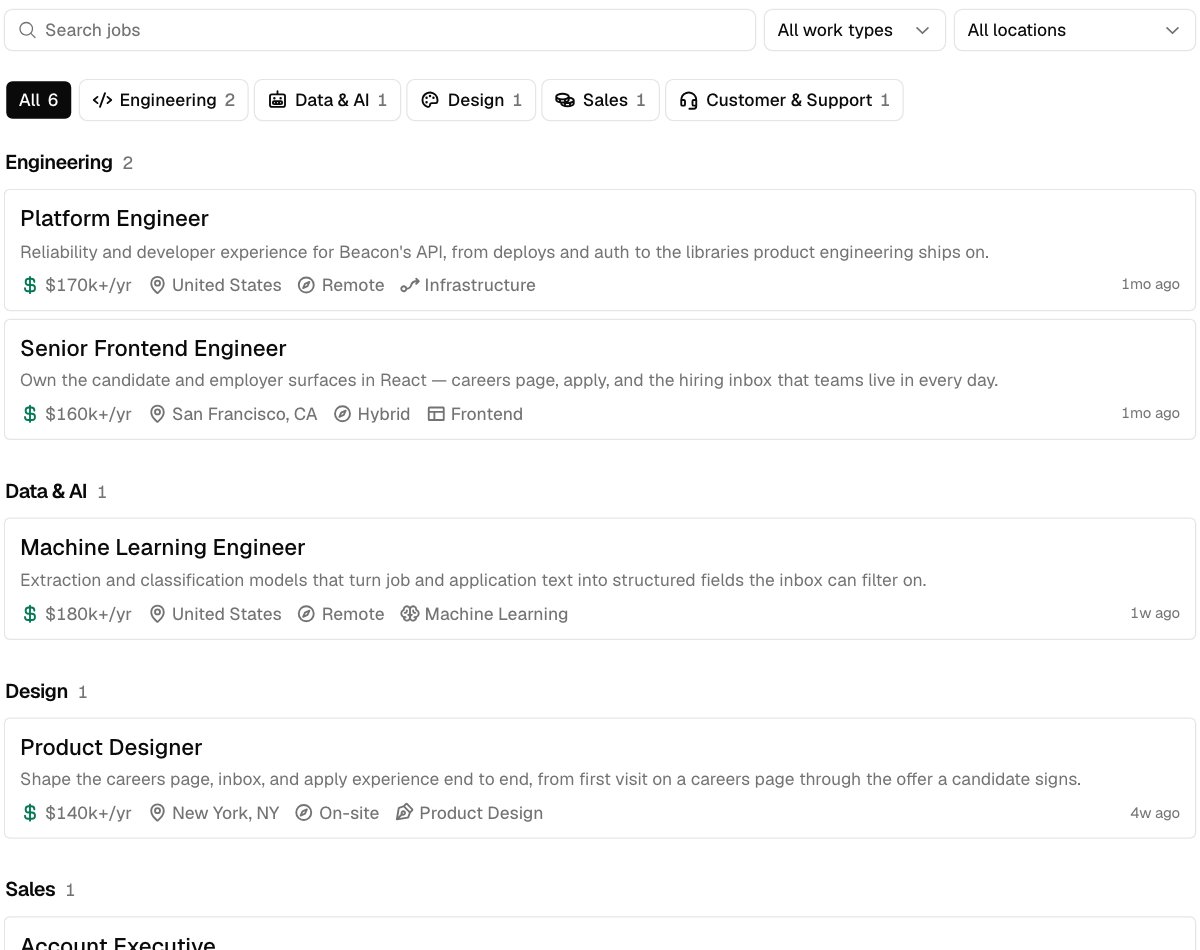
Cards, the default
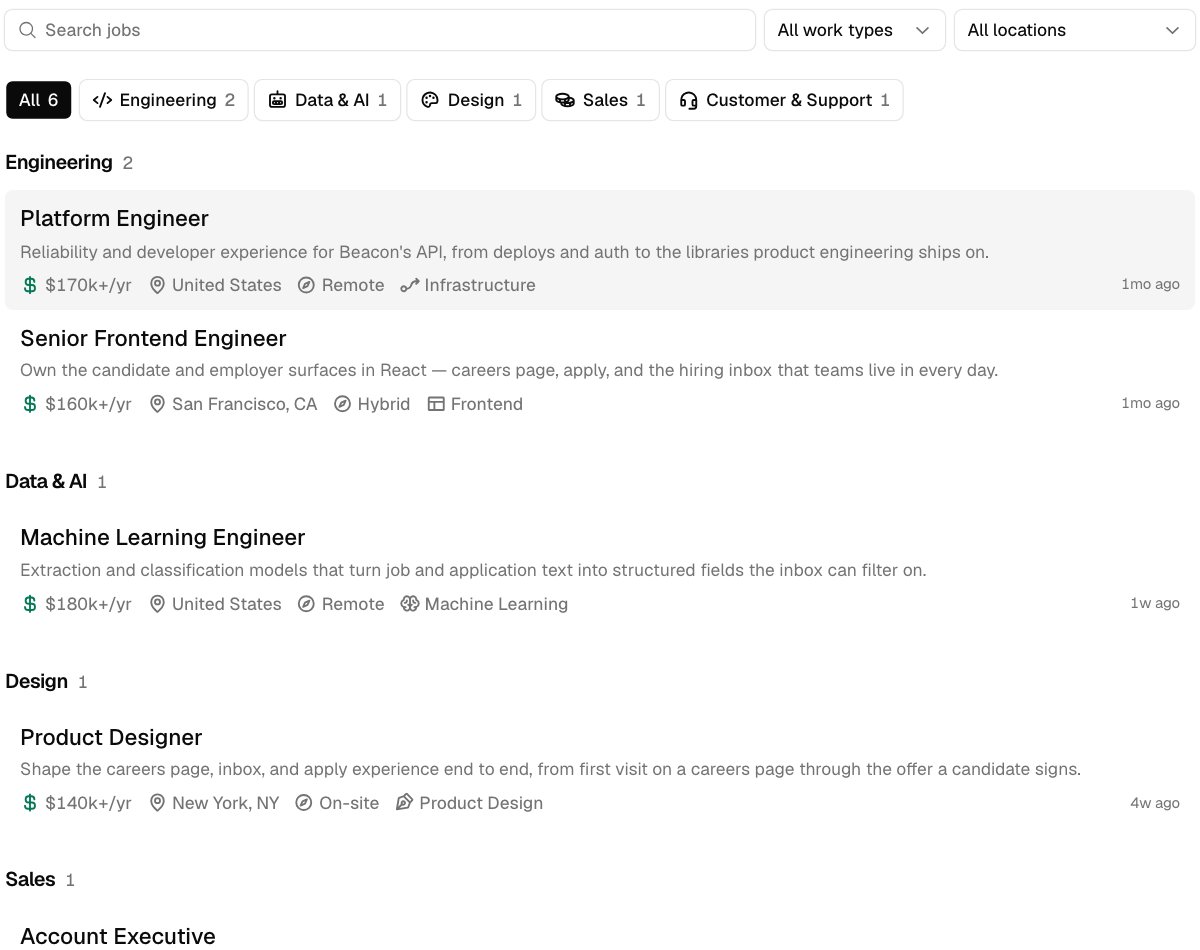
Rows, with the pointer over the first job
Readable buttons
With the Apply label on Auto, the label is black or white, whichever is easier to read on your accent. If neither reads well, the button keeps the standard dark style instead of your accent. Pick White or Black to match the buttons on your own site. Your choice is kept as long as it has at least 3:1 contrast with the accent. Below that, the readable color is used. White on yellow, for example, shows black. The preview in Settings > Embed says when this happens.On a dark page
The embed’s background is transparent, so your page shows through. On a dark page, adddata-theme="dark" to the snippet for light text and dark controls, or data-theme="auto" to follow your visitor’s light or dark setting.
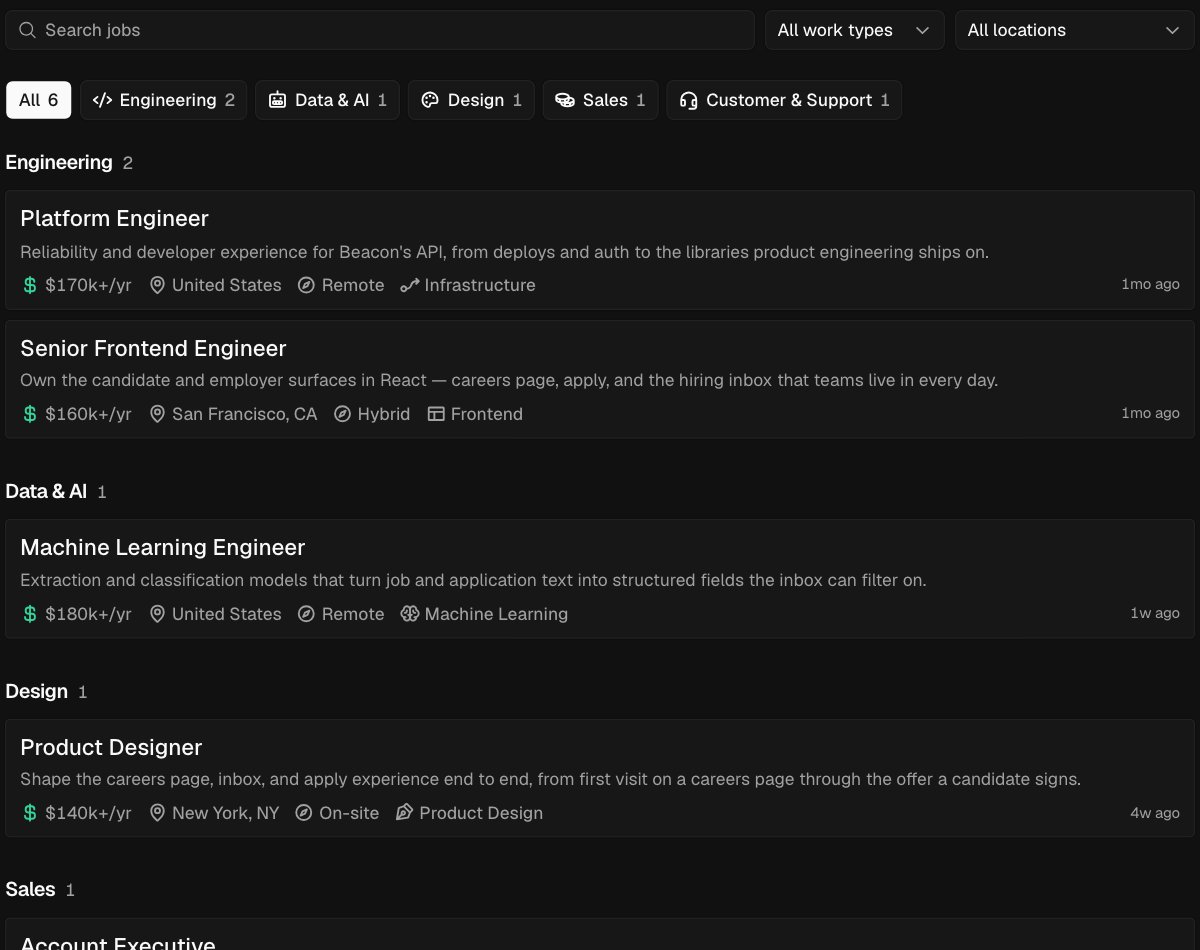
data-theme="dark"
Override on one site
To use a different look in one embed, add attributes to its script tag. Each one replaces that setting for this embed only. Settings you don’t override keep what you saved.
For example:
Your own stylesheet
To restyle the embed beyond these settings, add up to 3 stylesheets in Settings > Embed > Embed options > Stylesheets. Each must be anhttps URL on your own site. Every embed loads them, and they win over Hotfix’s styles without !important.
Target the data-hf attributes listed under Every part rather than class names, which can change at any time. The theme variables change colors and corners everywhere at once.
To keep what candidates type in the apply form private, a stylesheet can’t load anything from outside Hotfix:
- Images must be
data:URLs, like the icon in Your own icon. - Fonts must be
data:URLs inside your stylesheet, or one of the fonts in Settings. A font file linked from another site won’t load. - An image in a job description that’s hosted elsewhere won’t show in the embed.
Recipes
Each recipe is a complete stylesheet. Combine them, or use them as a starting point.Lines between rows
With Layout set to Rows, add lines between jobs and take away the highlight.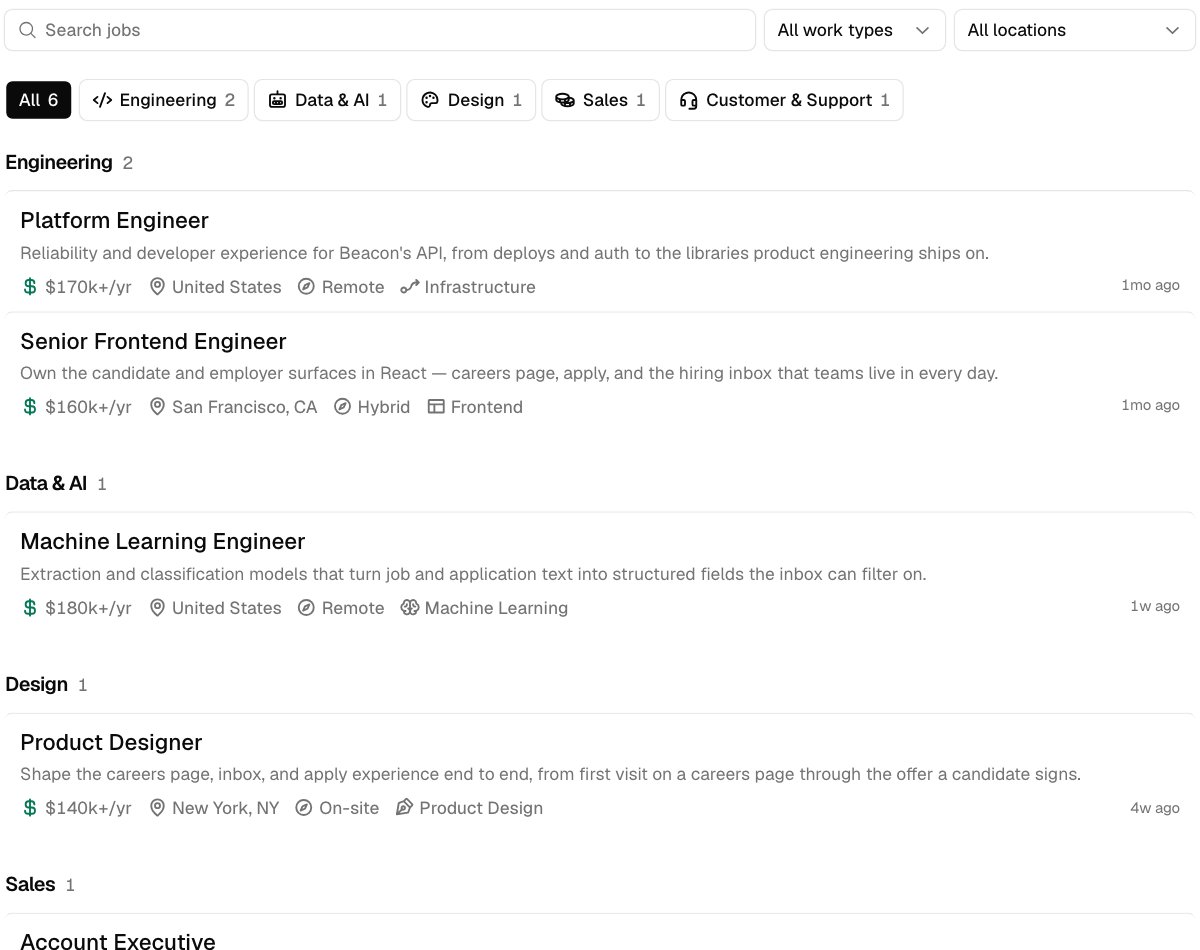
Titles and details only
Hide the summaries and icons, and put a dot between details.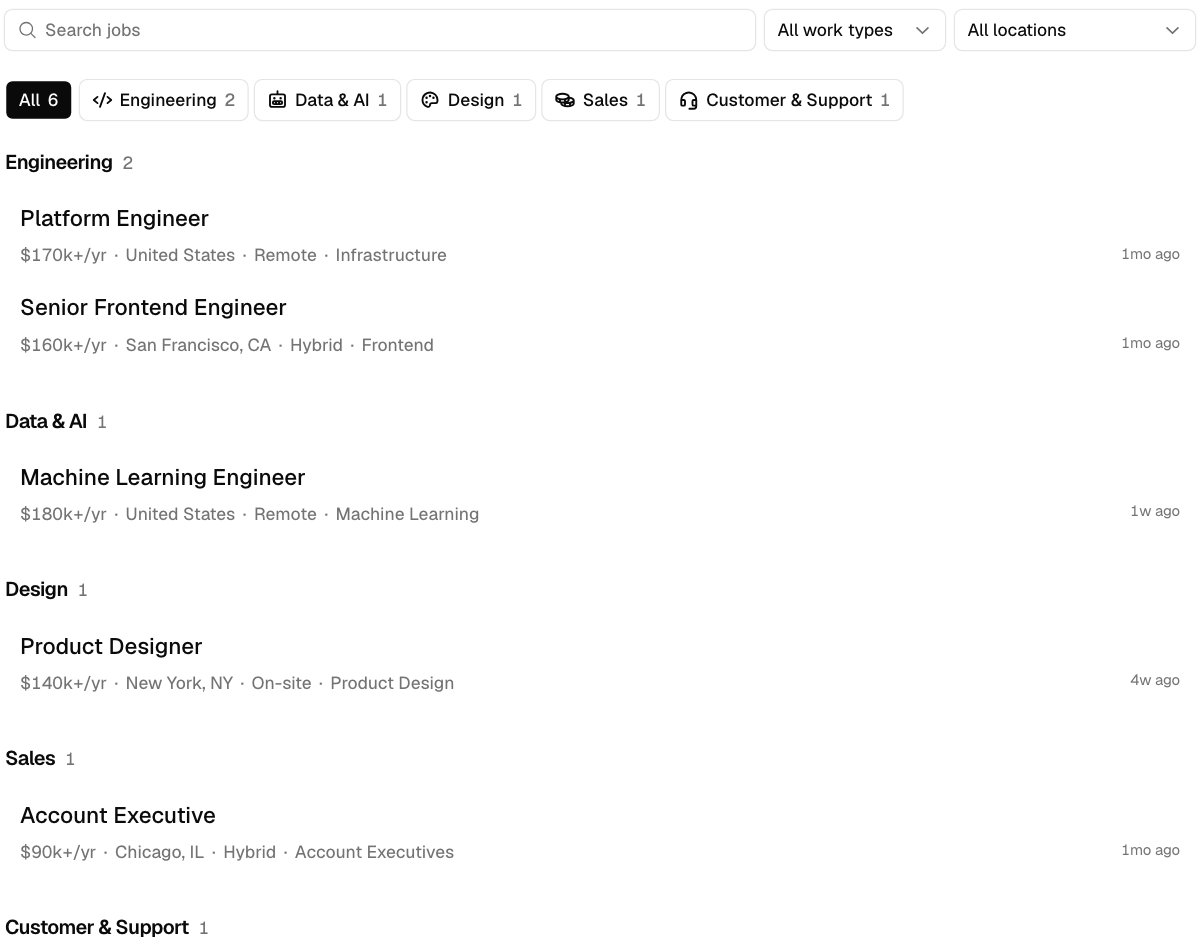
Your own icon
Hide a department button’s icon and draw your own. As a mask, the icon takes the button’s text color, chosen or not.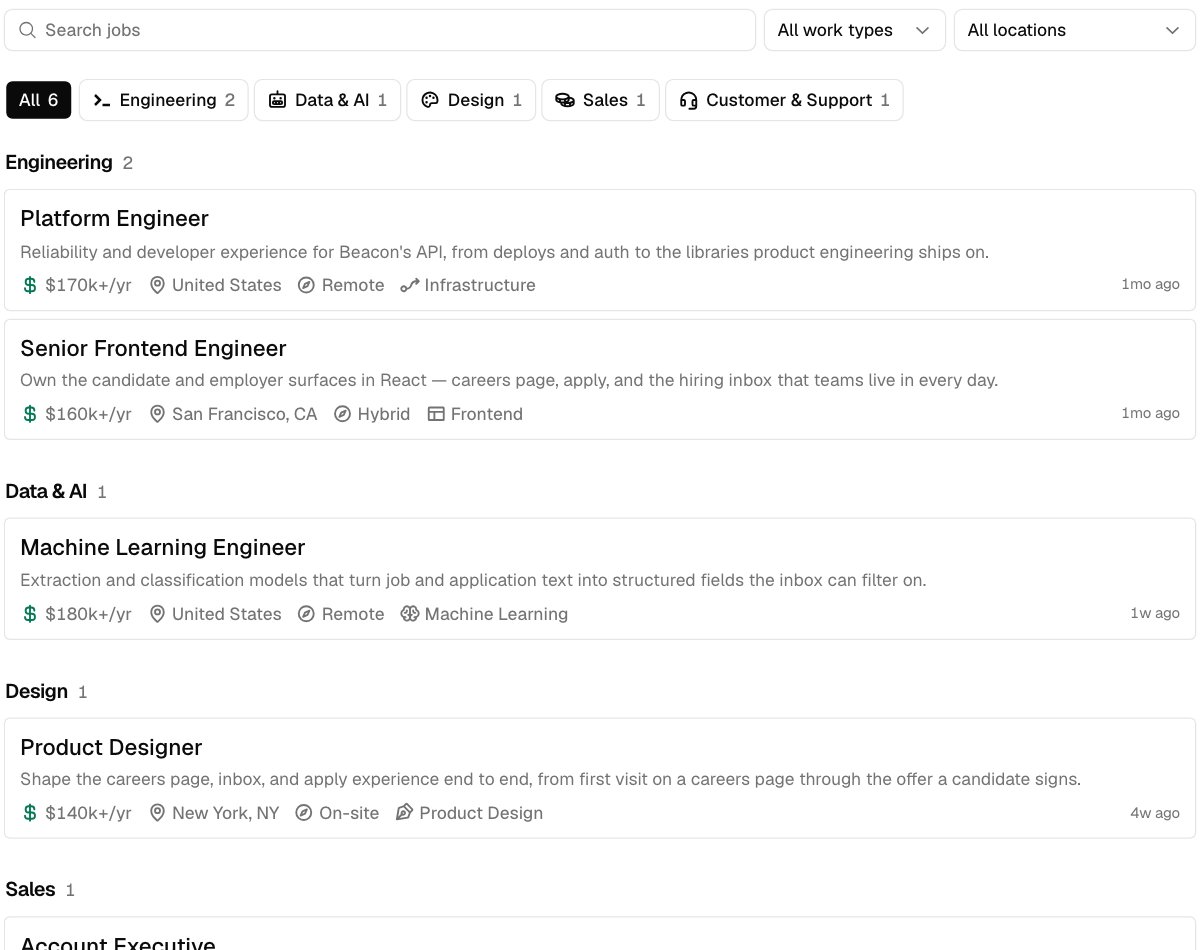
[data-fact="team"] and its fact-icon. To remove every department icon, hide [data-hf="department-icon"].
The apply form in your colors
Set the focus ring, field borders, and field background, and fill chosen answers with your color.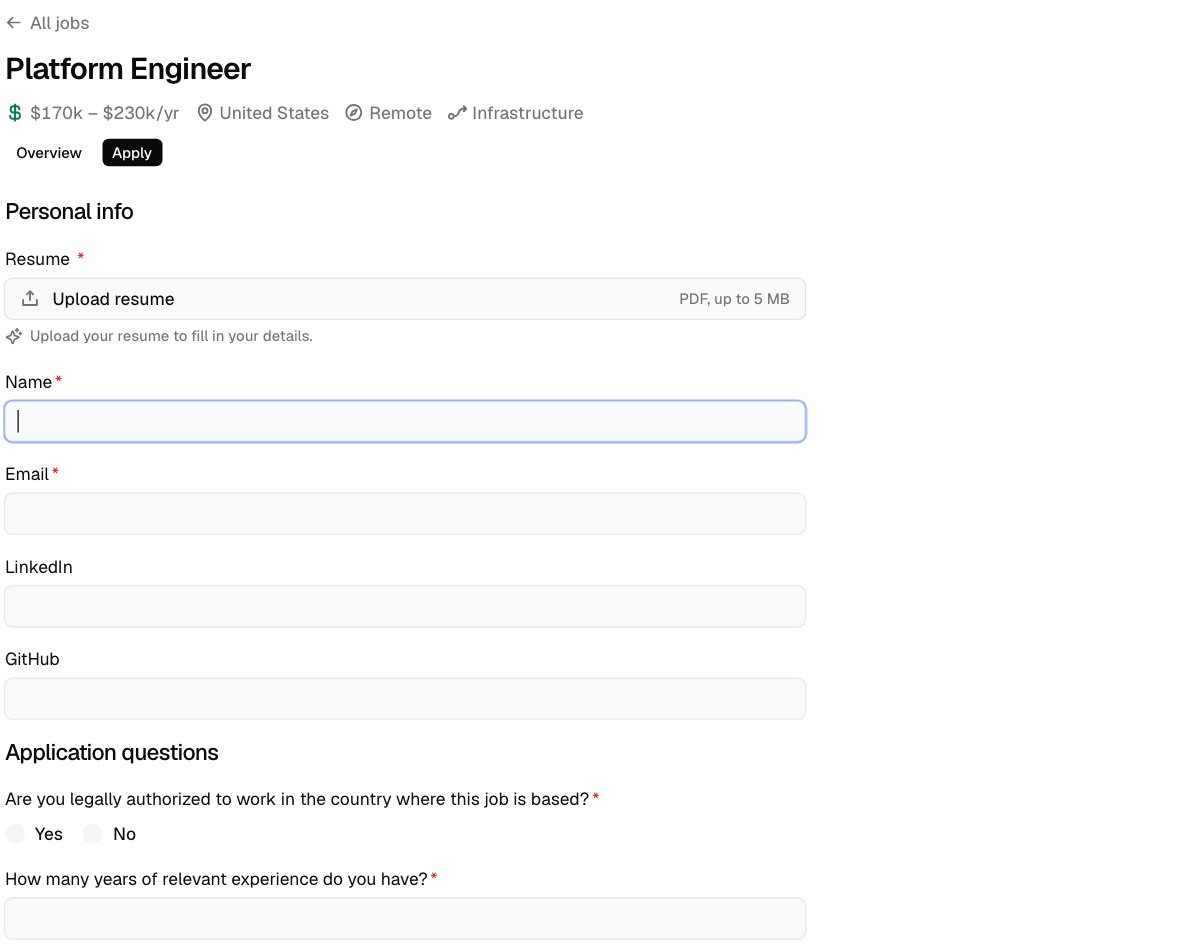
The Name field has focus
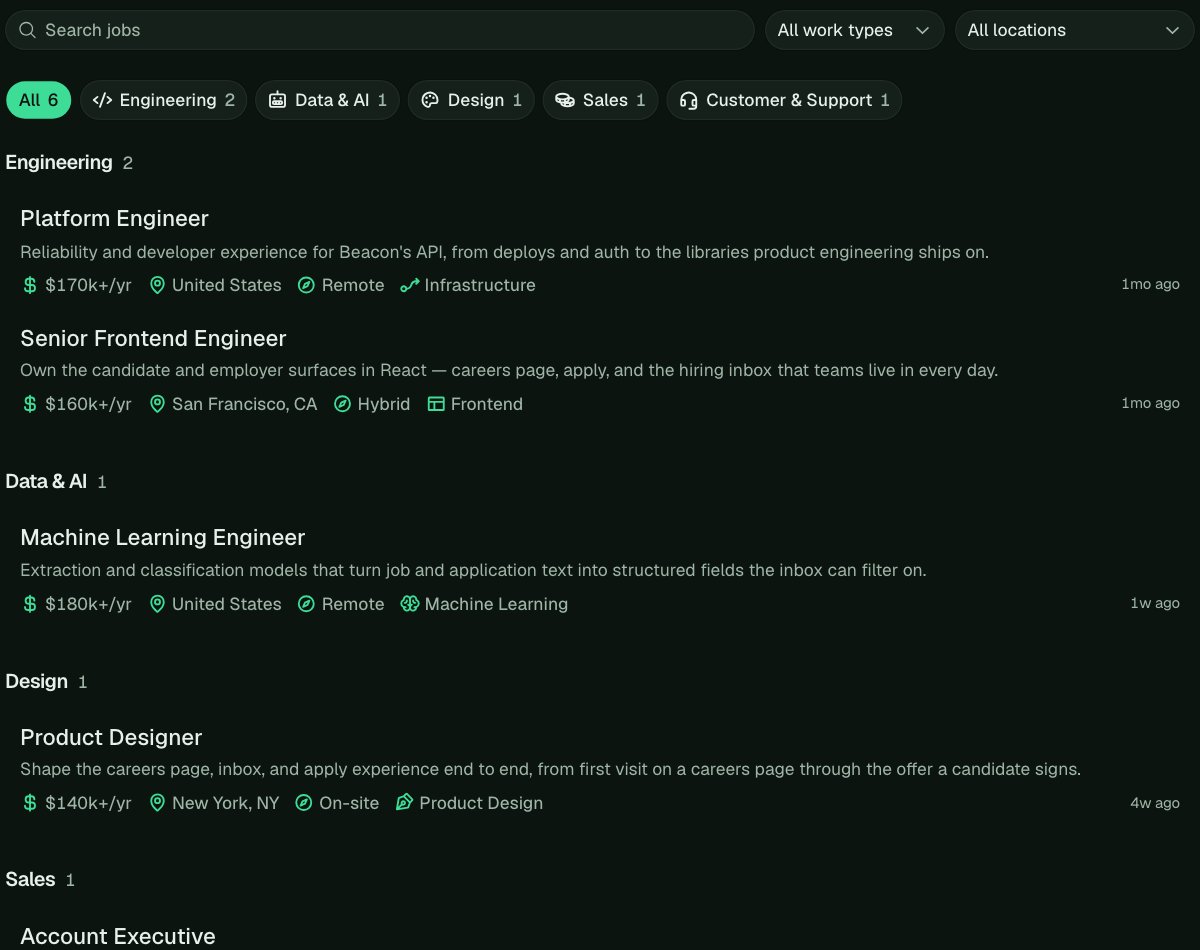
A whole brand
Withdata-theme="dark" and data-layout="rows" on the snippet, the theme variables carry your colors through buttons, fields, menus, and focus rings.
Different words
To reword something, hide its words and add your own. Screen readers still read Hotfix’s words, so keep the meaning the same.Theme variables
To change colors and corners everywhere at once, including buttons, fields, menus, and focus rings, set these variables onhtml:root. That selector wins over Hotfix’s light and dark defaults.
Accent and Corners in Settings > Embed (or
data-accent and data-radius on the snippet) still decide the Apply and submit buttons and the overall corner style.
Every part
Every part of the embed has adata-hf attribute. Some also say what they are or what state they’re in, like data-active on the chosen department.
The job list
A job’s page
A job’s description is plain HTML from Markdown (headings,
p, ul, ol, li, a, strong, em, blockquote, code, and tables), so style those tags inside job-overview.
The apply form
After they apply
Menus and the rest
What you can’t change
- The order of things. A stylesheet can hide and restyle parts, not move them around. The order of your questions comes from Settings > Apply.
- Your own text blocks. Beyond rewording, the text you can add is the opening and closing on every job. See Opening and closing on every job.
- Outside fonts and images. They have to be inside your stylesheet as
data:URLs. - A date field’s calendar. It’s your visitor’s browser’s own.
- The credit. Powered by Hotfix stays visible.