

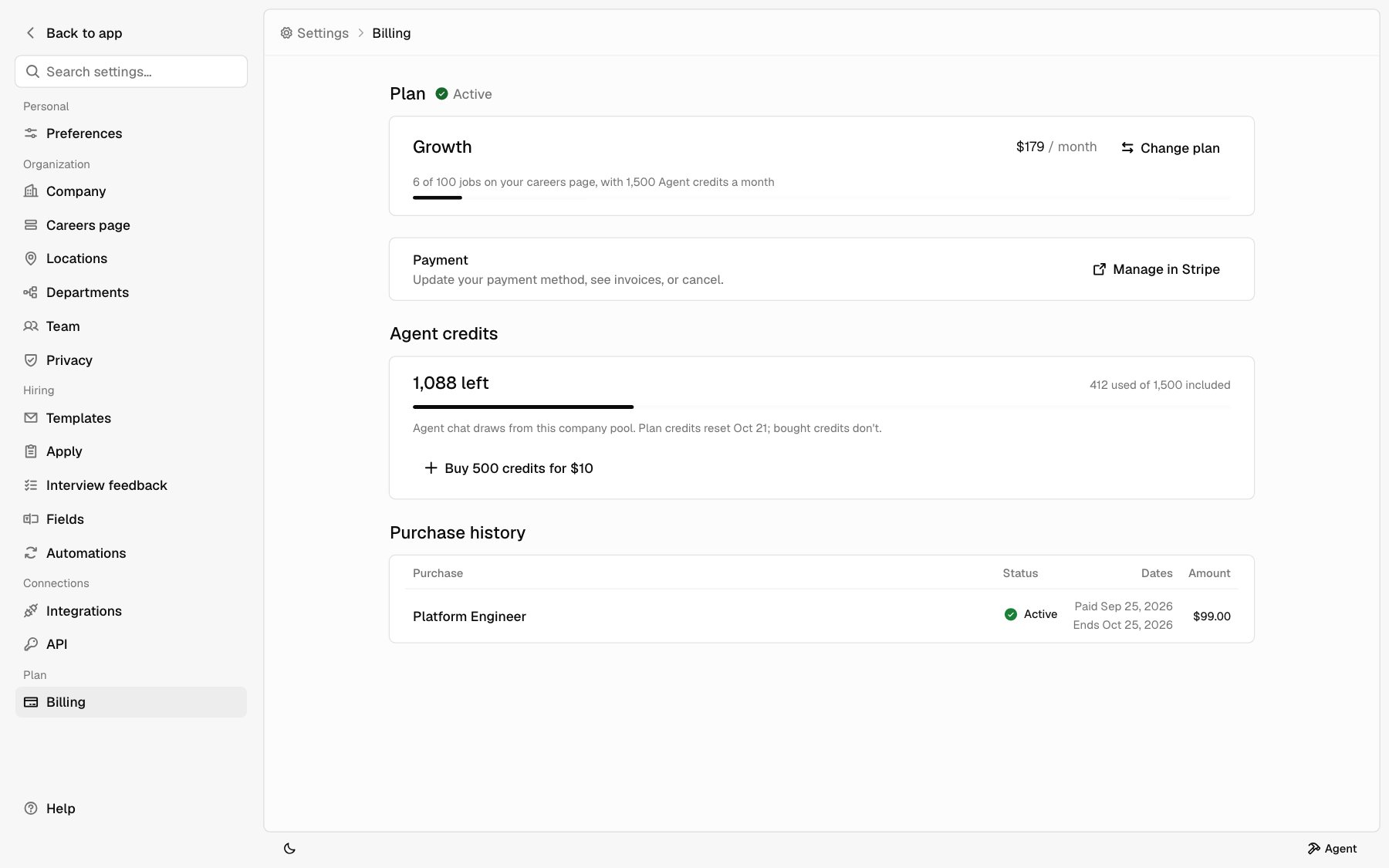
Your plan
Plan shows your plan’s name, its price, and whether you pay each month or each year. Next to Plan you see one of these:
Under the plan name, a bar shows how many jobs are on your careers page out of your plan’s limit, and how many Agent credits your plan includes each month.
Change your plan
1
Open the plan picker
Under Plan, click Change plan. Your current plan is marked
Current. Click Keep plan to close the picker without changing
anything.
2
Pick a billing cycle and plan
Pick Monthly or Annual, 10% off, then pick a plan.
3
Switch
Click Switch plan. A dialog shows what you pay today and what you pay
after that.
4
Confirm
Click Switch plan in the dialog. It’s charged to the card on file.
- If something is due, you pay it today, prorated for the rest of the current cycle.
- If nothing is due, the unused time on your current plan is credited to your next invoices.
Payment, invoices, and canceling
Under Payment, click Manage in Stripe. Stripe opens, where you can:- Update your payment method.
- See your invoices.
- Cancel your plan.
Agent credits
Agent credits shows how many credits your company has left, how many it used of what’s included, and any credits you bought. Next to the heading, Running low shows when 20% or less is left, and Empty when none are left. Plan credits reset each month on the date shown. Credits you buy don’t reset. See Agent credits for how Agent uses them. To buy more:1
Start checkout
Click Buy 500 credits. The button shows the price.
2
Pay
Pay on Stripe. You come back to Billing.
3
Check the balance
The credits show up once Stripe confirms the payment.
Purchase history
Purchase history lists what you bought besides your plan: featured jobs and Agent credit packs, newest first. Each row shows what you bought, its status, the dates, and the amount. It’s hidden until you buy something. Plan invoices are in Stripe. Click Manage in Stripe to see them.When a plan ends
If your plan ends, your careers page goes offline. Your jobs and applications stay in the app. Billing shows Ended and the date next to Plan.1
Pick a plan
Billing starts on the plan you had. Pick Monthly or Annual, 10%
off, and pick a plan. You can’t pick a plan smaller than the number of
jobs you had on your careers page.
2
Agree to the terms
Check the box to agree to the Customer Agreement and Data Processing
Addendum on behalf of your company.
3
Reactivate
Click Reactivate plan and pay on Stripe. When you come back, Billing
shows Payment landed. Bringing your careers page back… until your plan
is active again.