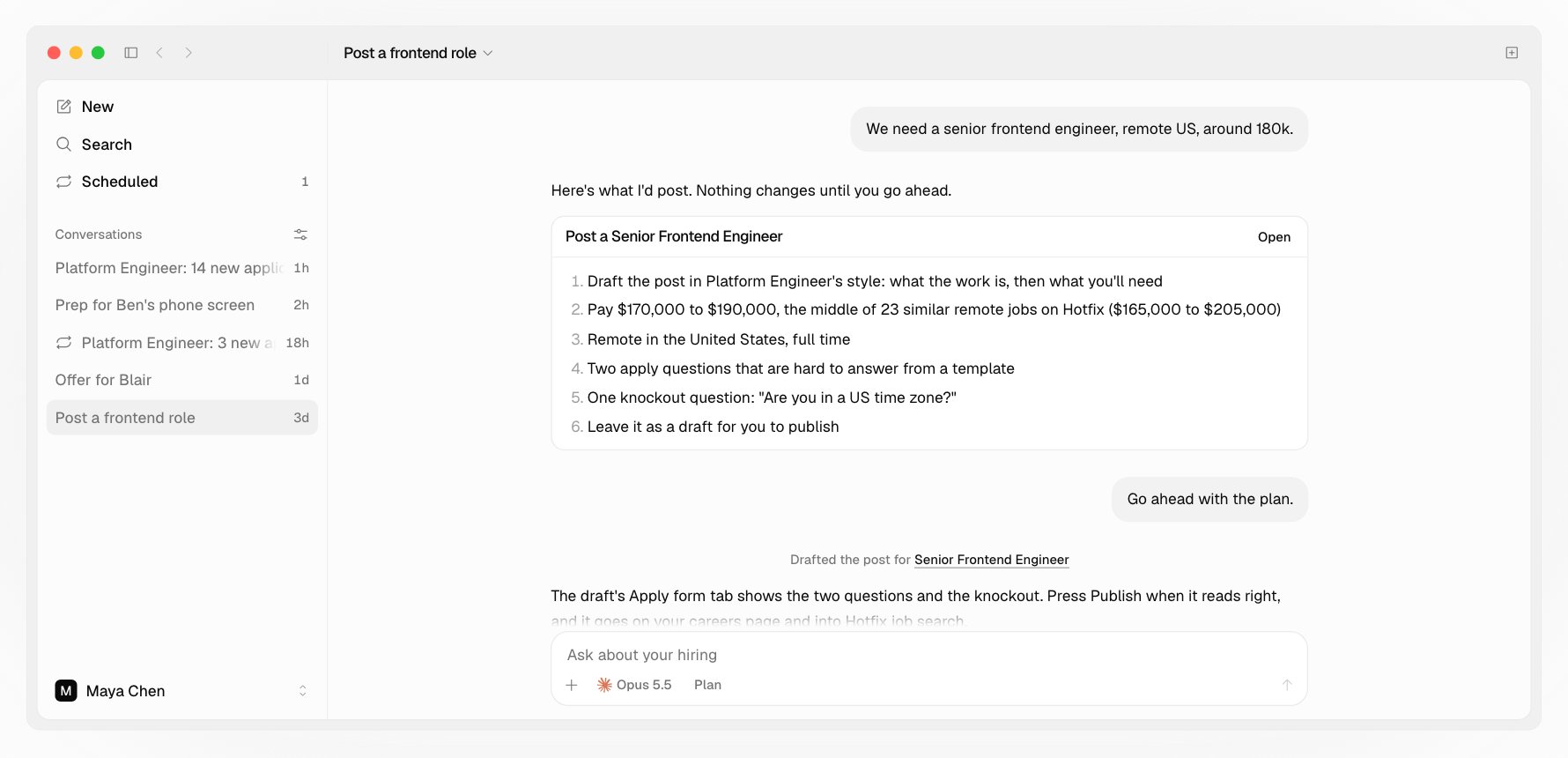
Tell your agent about the role in your own words: We need a senior frontend engineer, remote US, around 180k. It asks only for what’s missing, writes the whole post, and shows it to you. Nothing is saved until you say so, and nothing goes live until you publish.
Posting a Senior Frontend Engineer: the agent's plan for the post, pay, location, two apply questions and one knockout, then the drafted post

What your agent writes

  • The description, in your voice: About the role, What you’ll do, and What you’ll need, three to five things a resume or an apply answer can show, like “Ran Python or Go services in production”. Reviews read against these, so each one is checkable.
  • The apply form: two or three questions that are hard to fake, each tied to something the job needs, and contact fields by role, like GitHub and LinkedIn for engineering.
  • Knockout questions, only for hard limits you name: where someone can work from, work authorization or sponsorship, or a firm minimum of experience. Each is a question worded for the job, like “Are you authorized to work in the United States?”, and says which answer ends the application. It asks about work authorization, never citizenship or where someone is from.
  • The department and team, picked from the title. It says which, so you can change it.
  • Search fields: a short summary, skills, years, and education, so the job is in Hotfix search the moment it’s live.
It never invents pay. If you give none, it asks once, and posts without it if you’d rather not list it. Pay stays in the currency you give.

Preview and publish

Preview on the draft’s card opens its page beside the conversation, with its Description and Apply form tabs. The apply form shows what candidates fill in, and under each knockout, what ends the application; candidates don’t see that. Press Publish when it reads right. The job goes live on your company page and in Hotfix job search, and people whose alerts match hear about it that day. To see the plan before anything is drafted, use Plan mode.

Change a job

Ask for the change, like Add Rust to what Platform Engineer needs. Your agent reads the job, shows what changes, and saves it on your yes. A live job stays live.

Close a job

Ask to close it. First your agent says who is still waiting and which interviews are booked, and offers to close now or after the interviews in flight. Closing is final: the job leaves your company page and Hotfix search, and its unbooked booking links are cancelled. Booked interviews stay. When it closes, your agent drafts your Position closed email for each person still waiting. You send each on a yes. To hire for the same role again, post a new job.

Open jobs and your plan

Each plan includes a number of open jobs: 1 on Free, then 5, 10, 15, or 20. Drafts and closed jobs don’t count. See Plans and billing. Promote pins an open job above matching results in Hotfix job search for 30 days, for $49 per job, marked Featured. Promote a job from its page on the web.

Posting on the web

The web has a plain Post a job form under Jobs, without the agent.