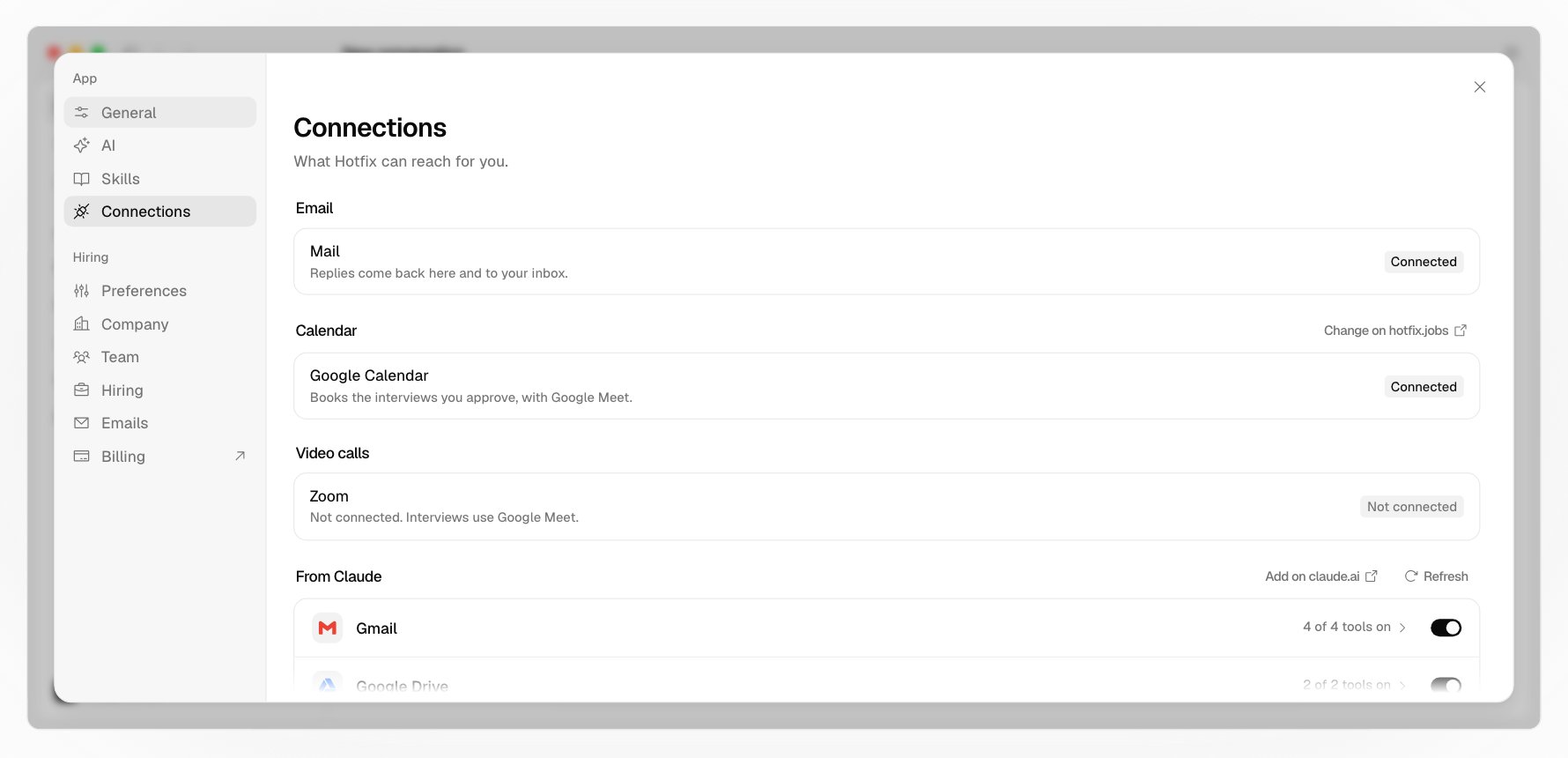
Settings > Connections lists what your agent can reach.
Settings, Connections: Mail connected, Google Calendar connected with Google Meet, Zoom not connected, then Gmail and Google Drive from Claude, each with a switch

Hotfix’s own

  • Email: Hotfix sends your hiring mail from your company’s address on Hotfix. Replies come back to Hotfix and to your inbox. There’s nothing to connect.
  • Calendar: your own Google Calendar or Microsoft 365, which books the interviews you approve. You connect it on the web; it shows the account it’s connected to, and asks you to reconnect there if Google or Microsoft stops accepting it.
  • Video calls: Zoom, if your company connected it. Otherwise interviews use your calendar’s own video.
See Set up your company to connect a calendar or Zoom.

Your own

Your agent can use the connectors you already set up in Claude or ChatGPT, like your Gmail, Google Drive, Slack, or Linear:
  • From Claude: your claude.ai connectors, and MCP servers you added to Claude yourself.
  • From ChatGPT: your connected ChatGPT apps, and MCP servers you added yourself.
Each connector has a switch, and its tools open in a list with a switch each. What you switch off is never used. Add more where you set them up: Add on claude.ai, a ChatGPT app’s page, or your own servers. Even in Auto, a connector’s tool that sends or moves money asks every time, and so does any tool that runs code. See Manual, Auto, and Plan.

The web

Your agent can search the web for facts from outside Hotfix, like what similar roles pay. Opening a page its searches didn’t find asks you first.

What’s left out

Hotfix runs your Claude or ChatGPT without its coding tools: no files, no shell, no plugins or hooks, and none of your own permission rules. Your connectors, skills, and instructions come along; everything that could get past Hotfix’s rules doesn’t.