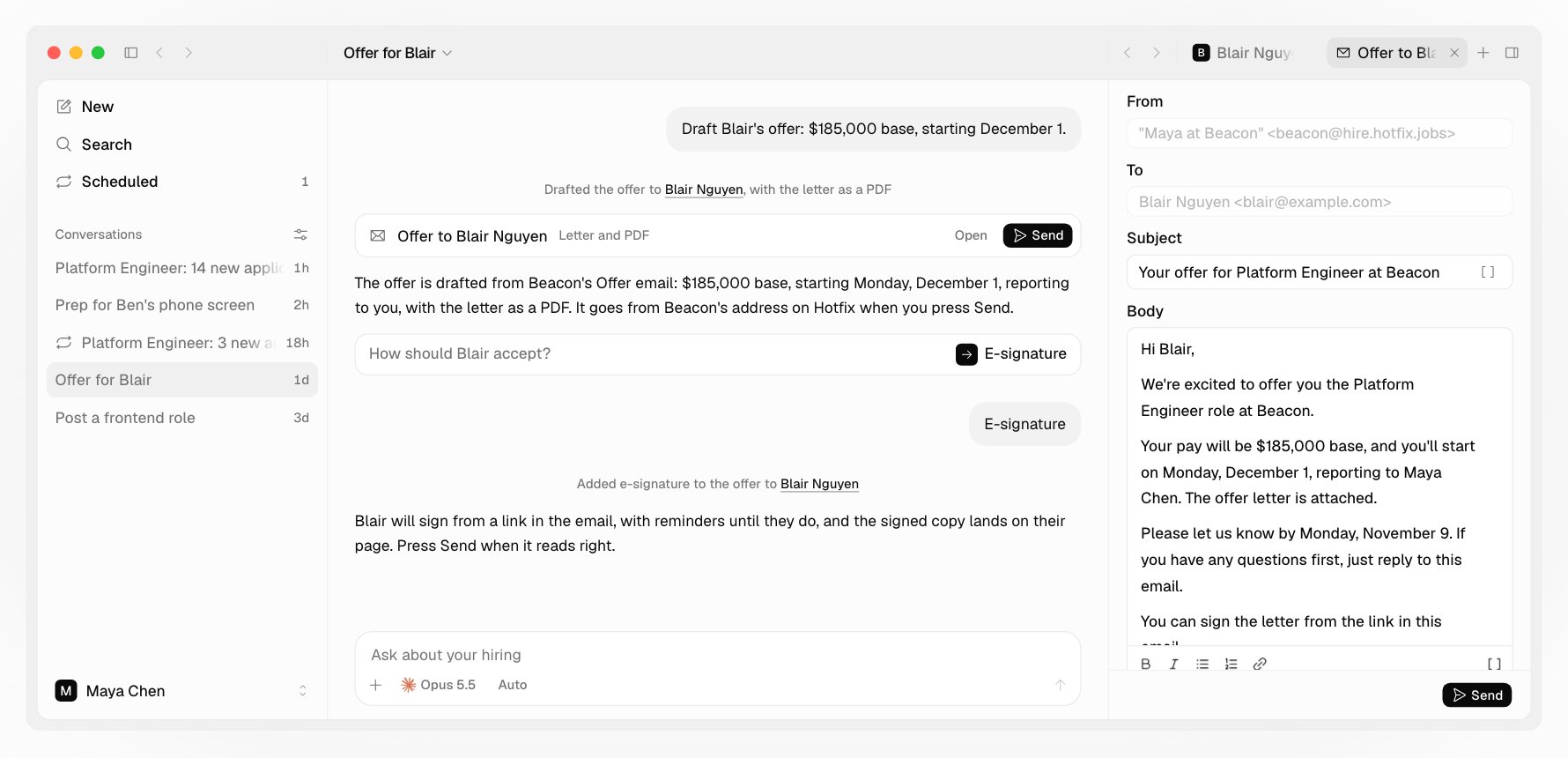
Ask Draft Blair’s offer: $185,000 base, starting December 1. Your agent asks for anything missing (pay and currency, start date, and the date to reply by) and never invents terms. It drafts the letter from your company’s Offer email and shows it with the PDF. Press Send when it reads right.
An offer to Blair Nguyen drafted from Beacon's Offer email, with the letter as a PDF, e-signature added, and Send

The letter

  • The letter is your company’s Offer email, filled in with the terms. Everything else in it, like the title, benefits, or contingencies, is text you write once in that email. See Email candidates.
  • The PDF carries your logo and name, the date, the terms, and the letter, with no Hotfix branding.
  • It goes out through Hotfix from your company’s address, as you.
  • One open offer per person at a time.

How they accept

  • By reply. The default letter asks them to reply “I accept” with their full name.
  • By e-signature. Ask for it, and the PDF also goes through SignWell: they sign from a link in the email, you countersign, and the signed copy lands on their page and marks the offer accepted. It comes with every plan; you don’t need a SignWell account.

Follow up

Ask Where’s Blair’s offer? Your agent says where it stands. If the reply-by date is near and there’s no answer, it offers a short, warm nudge.

Record the answer

Tell your agent what they said. Accepted moves them to Hired; Declined moves them back to Interviewing. An answer by phone is recorded the same way. An e-signature records itself. To take an offer back, email the candidate and record it as declined. The reply-by date is text in the letter, not an expiry. Once the role is filled, your agent offers to close the job and tell everyone still waiting.