Make one
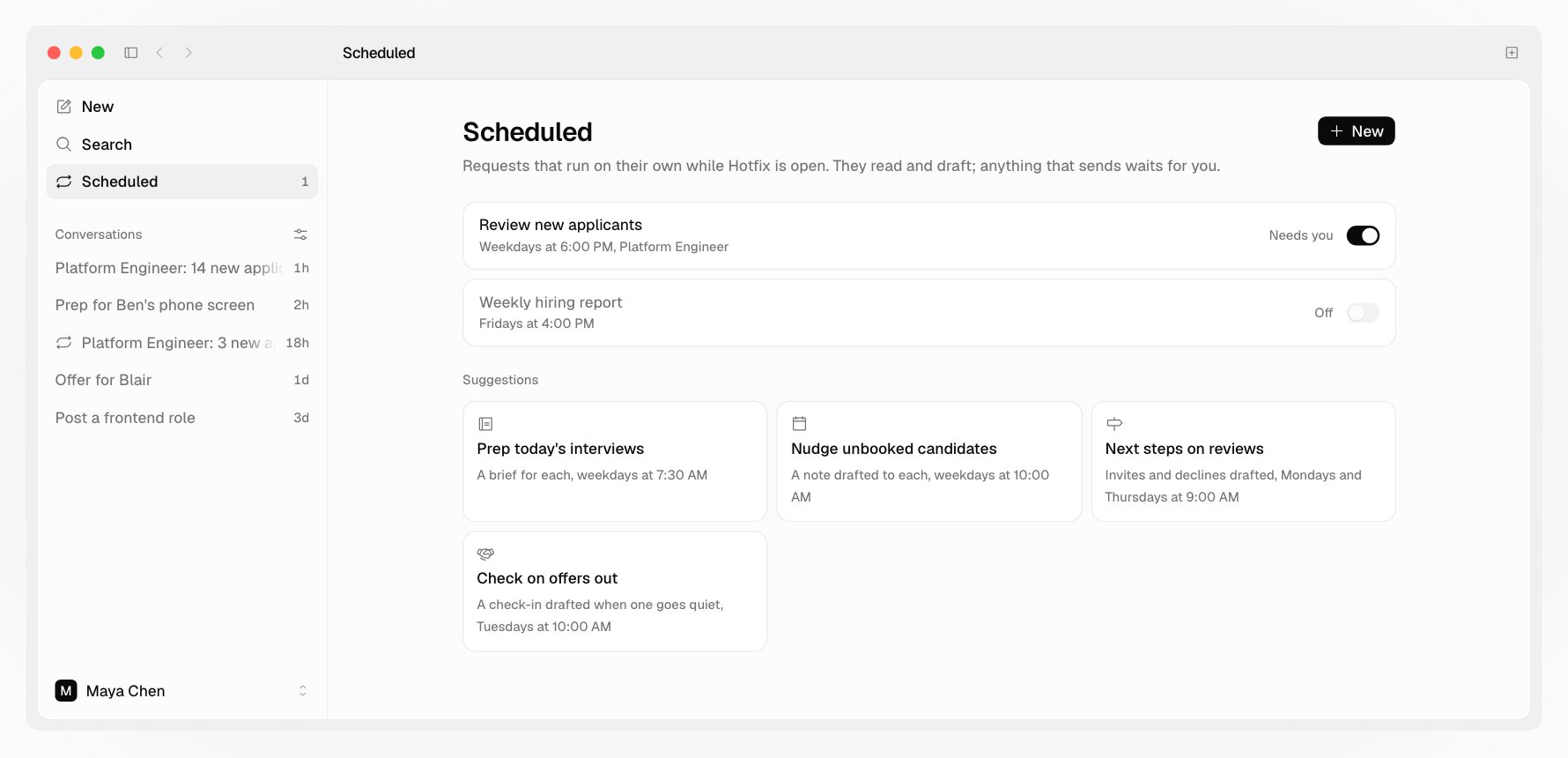
Click New, or start from a suggestion:- Prep today’s interviews: a brief for each, with what to ask and what to check, weekdays at 7:30 AM
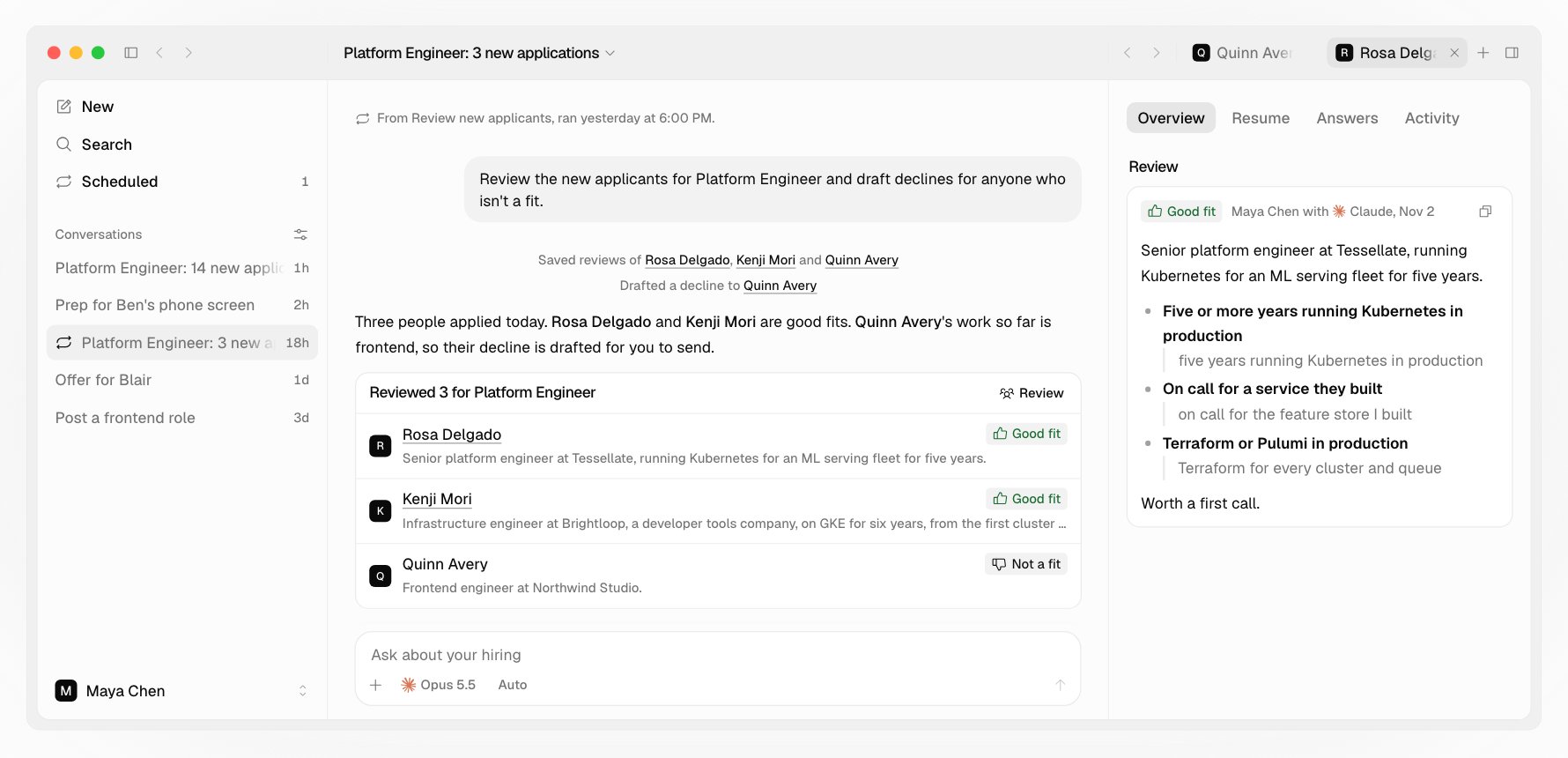
- Review new applicants: reviews saved and declines drafted, weekdays at 6:00 PM. It starts on your job with the most new people.
- Nudge unbooked candidates: a note drafted to each person who hasn’t picked a time after their link and Hotfix’s reminder, weekdays at 10:00 AM
- Next steps on reviews: invites drafted for good fits nobody acted on and declines for not a fit, Mondays and Thursdays at 9:00 AM
- Check on offers out: a check-in drafted when an offer has gone quiet, Tuesdays at 10:00 AM
- Weekly hiring report: the week in charts, and who’s waiting on a decision, Fridays at 4:00 PM
How a run works
- Each run is a conversation of its own, through the same rules as any other: it reads and drafts, and anything that sends waits for you to press Send.
- Nobody is watching a run, so it doesn’t stop partway to ask. It does all its reading and drafting first, and ends with what’s waiting for you, or a line saying there was nothing to do.
- A run shows in the sidebar only when it needs you: a change to allow, a question, or a turn that failed. Scheduled counts those. The rest wait on the request’s page, without a notification.
- If the time passes while Hotfix is closed or your Mac is asleep, the request runs once when it’s back.
- If the last run still waits on you, the next one is skipped.